
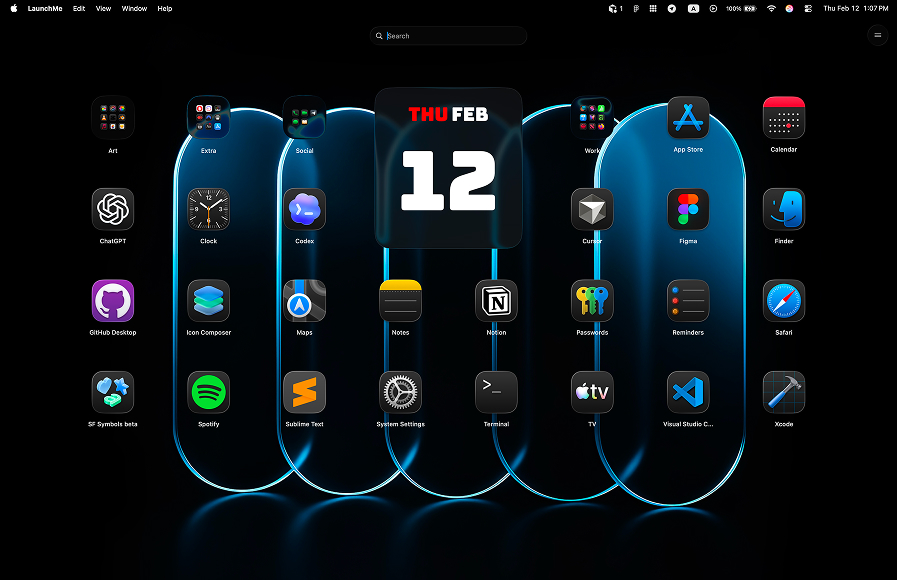
LaunchMe vs QAL Pro. Better Launchpad Replacement for macOS 26
If you are comparing LaunchMe vs QAL Pro after Launchpad changes in macOS 26 Tahoe, this guide focuses on what matters in real usage: feature access, pricing risk, and whether you can actually get a strong workflow without paying first.
LaunchMe vs QAL Pro: quick summary
QAL Pro can look interesting at first glance, but the key downside is value for new users: it is positioned as a paid-only App Store product without a practical try-before-you-buy path. LaunchMe gives you many important workflow features for free, so you can start using it immediately with lower risk.
Feature comparison table
The table below compares LaunchMe Free vs Pro against QAL Pro. In this update, Hide Apps is marked as PAID for QAL Pro. LaunchMe provides broader day-to-day value before you need any upgrade decision.
How we compared LaunchMe and QAL Pro
We used a practical checklist: what users can do before paying, how quickly they can organize app libraries, and whether the launcher stays useful for daily work without immediate purchase pressure.
Sources: Download LaunchMe, Quick App Launcher (QAL) Pro on Mac App Store.
Why QAL Pro is a higher-risk choice for most users
Paid-first access
A major issue with QAL Pro is the paid-first model. If users need to purchase right away with no practical trial flow, they must make a decision before testing long-term comfort and workflow fit.
Feature value compared with LaunchMe Free
LaunchMe already includes many daily essentials in Free, including launcher utilities and workflow speed features. This means users do not need to gamble on a paid purchase to get core value.
In this comparison, QAL Pro is also marked PAID for Hide Apps, while LaunchMe keeps a stronger overall value path thanks to broad Free functionality and optional Pro only when needed.
Why LaunchMe is the better daily launcher
- Lower entry risk: start with many useful features in Free before deciding about Pro.
- Better workflow baseline: fast launch flow, useful organization controls, and practical utilities.
- Clear growth path: Free for everyday use, Pro for deeper customization, without forcing immediate purchase.
Multi-language support
LaunchMe supports 11 languages: English, Chinese, Japanese, Korean, German, Italian, Spanish, Russian, Portuguese, Hindi, and Turkish.
Pricing and value
LaunchMe has a very flexible pricing model: you can use a large set of features for free, or choose the Pro plan format that fits you best - Monthly subscription, Yearly subscription, or Lifetime purchase. This way, each user can pick the best option for their own workflow and budget.
Compared with paid-first alternatives, this model gives users a safer decision path: use the app first, get value immediately, then upgrade only if deeper customization is truly needed.
Try Pro features free for 7 days: You can test advanced customization and visual features in LaunchMe, then decide whether to stay on Free or unlock Pro.
Verdict: LaunchMe is the stronger choice vs QAL Pro
If you want a launcher that delivers strong value without forcing immediate payment risk, LaunchMe is the better option. You get practical functionality in Free, clear upgrade choices, and a more flexible long-term setup for macOS 26 Tahoe.