
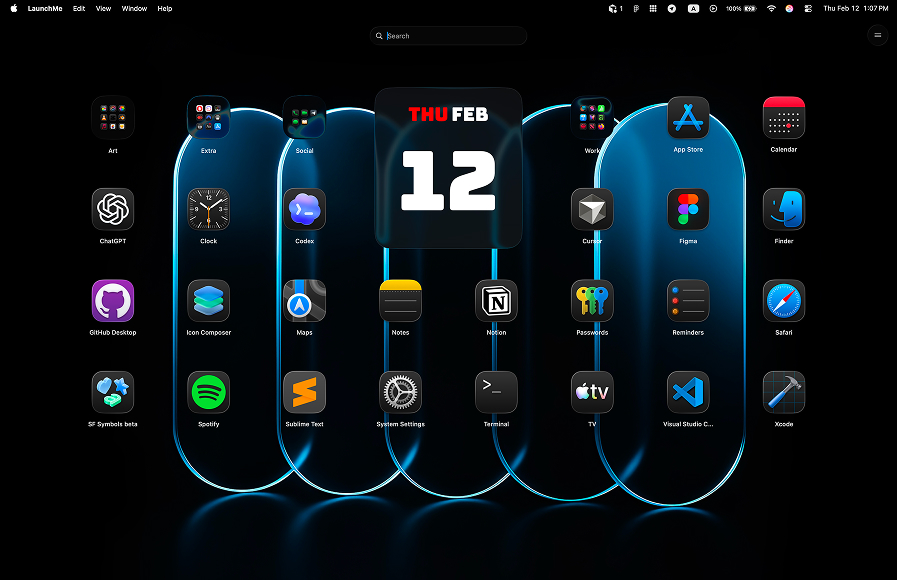
LaunchMe vs HotLaunch. Better Launchpad Replacement for macOS 26
If you are deciding between LaunchMe vs HotLaunch, this guide focuses on real day-to-day usage. HotLaunch is close to an old Launchpad-style copy, while LaunchMe is designed as a modern launcher with stronger free features and deeper customization.
LaunchMe vs HotLaunch: quick summary
HotLaunch can feel familiar to users who only want a basic static app grid. LaunchMe gives more practical value from day one with built-in utilities, better activation options, and a wider free feature set.
Feature comparison table
The table below shows LaunchMe Free and Pro features versus HotLaunch availability. This is the fastest way to see where paid limits appear.
How we compared LaunchMe and HotLaunch
We used the same checklist as in other comparisons: activation speed, free vs paid feature access, customization depth, and practical daily workflow value.
Sources: Download LaunchMe, HotLaunch - App Launchpad.
Where HotLaunch falls behind
Mostly old Launchpad behavior without modern depth
HotLaunch focuses on classic Launchpad-like behavior. That can be fine for minimal use, but it does not provide the same modern feature depth as LaunchMe for customization, utility tools, and fast workflow adaptation.
Many LaunchMe free features are not available in HotLaunch
In this comparison, the HotLaunch column stays empty across the matrix because many LaunchMe capabilities are simply missing there, including practical workflow and customization features users rely on every day. This is the key difference: LaunchMe Free already includes strong utility and activation options, while HotLaunch remains a much more limited experience.
Free-tier utility is much stronger in LaunchMe
LaunchMe Free includes Search Files, Clipboard, Calculator, categories, and flexible launcher controls. This gives more day-to-day value than a basic visual grid approach.
Why LaunchMe is better for real daily workflow
- More useful in Free: practical utility tools are available without locking core workflow behind paywalls.
- Faster activation: Hot Corners and Gesture Invoke help open the launcher instantly.
- Deeper customization: widgets, live wallpapers, icon styling, and themes support long-term productivity and personalization.
- Cleaner organization: category pages and layout control make larger app collections easier to manage.
Community and product trust
LaunchMe has a large and engaged fan base on TikTok, Threads, and Reddit. Many users have supported LaunchMe since early versions, which reflects product trust and consistent iteration over time.
Multi-language support
LaunchMe supports 11 languages: English, Chinese, Japanese, Korean, German, Italian, Spanish, Russian, Portuguese, Hindi, and Turkish.
Pricing and value
LaunchMe has a very flexible pricing model: you can use a large set of features for free, or choose the Pro plan format that fits you best - Monthly subscription, Yearly subscription, or Lifetime purchase. This way, each user can pick the best option for their own workflow and budget.
LaunchMe Free already covers strong daily needs. When users want deeper visual control and advanced customization, Pro expands the experience without reducing base utility.
Try Pro features free for 7 days: You can test widgets, live wallpapers, themes, and advanced visual options for one week and decide if Pro is worth it for your setup.
Verdict: LaunchMe is the better Launchpad Replacement
If you want more than a classic Launchpad copy, LaunchMe is the better choice over HotLaunch. It offers stronger free functionality, faster activation workflow, and much deeper long-term customization.
You can download LaunchMe on the Download LaunchMe and try Pro features free for 7 days.