
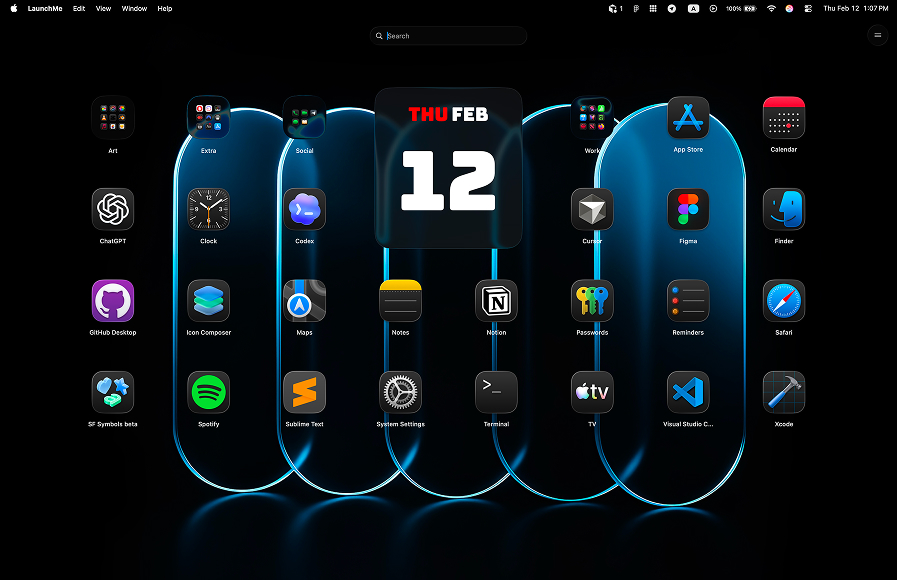
LaunchMe vs FolderX. Better Launchpad Replacement for macOS 26
This comparison explains why LaunchMe vs FolderX is not a close match if you need a serious launcher. FolderX is focused on file handling and menu-bar flow, while LaunchMe is a full launcher platform with broader free functionality.
LaunchMe vs FolderX: quick summary
FolderX includes some launch-style behavior, but launcher functionality is not its core focus. LaunchMe is purpose-built as a Launchpad replacement with stronger app management, activation controls, and customization.
Feature comparison table
The table below shows LaunchMe Free and Pro capabilities versus FolderX. In this comparison, the competitor column stays empty because LaunchMe features listed here are not available in FolderX.
How we compared LaunchMe and FolderX
We compared both products using a practical launcher checklist: activation speed, free feature depth, app organization options, and customization workflow for daily usage.
Sources: Download LaunchMe, FolderX - Menubar Launchpad.
Why FolderX is limited as a launcher
Launcher workflow is not the core product focus
FolderX centers around file-related utility and menu-bar workflow. Launchpad-like behavior is secondary. For users who want a primary launcher, this creates feature gaps and less control over launcher-specific customization.
Many LaunchMe features are missing in FolderX
In this comparison matrix, LaunchMe features such as Hot Corners, Gesture Invoke, utilities, categories, and deep visual customization are not available in FolderX. This applies even when users want to go beyond basic app opening.
LaunchMe Free already covers more practical needs
LaunchMe Free includes Search Files, Clipboard, Calculator, categories, and flexible launcher controls. That gives users real day-to-day value without requiring a complex workaround flow.
Why LaunchMe is better for real daily workflow
- More useful in Free: practical launcher tools are available immediately.
- Faster launch habits: Hot Corners and Gesture Invoke improve open speed and consistency.
- Deeper customization: widgets, live wallpapers, icon styling, and themes support long-term setup quality.
- Better app organization: categories and layout controls help manage larger app collections clearly.
Community and product trust
LaunchMe has an active fan base across TikTok, Threads, and Reddit. Many users have followed and supported LaunchMe since early versions, which reflects trust and steady product iteration.
Multi-language support
LaunchMe supports 11 languages: English, Chinese, Japanese, Korean, German, Italian, Spanish, Russian, Portuguese, Hindi, and Turkish.
Pricing and value
LaunchMe has a very flexible pricing model: you can use a large set of features for free, or choose the Pro plan format that fits you best - Monthly subscription, Yearly subscription, or Lifetime purchase. This way, each user can pick the best option for their own workflow and budget.
LaunchMe Free already provides strong launcher value. For advanced visual and organization options, Pro extends the experience without cutting core utility in Free.
Try Pro features free for 7 days: You can test widgets, live wallpapers, themes, and advanced visual options for one week and decide if Pro fits your workflow.
Verdict: LaunchMe is the better Launchpad Replacement
If you want a complete launcher and not a side feature, LaunchMe is the better choice over FolderX. It gives broader free functionality, better activation flow, and stronger long-term customization for macOS 26 users.
You can download LaunchMe on the Download LaunchMe and try Pro features free for 7 days.