
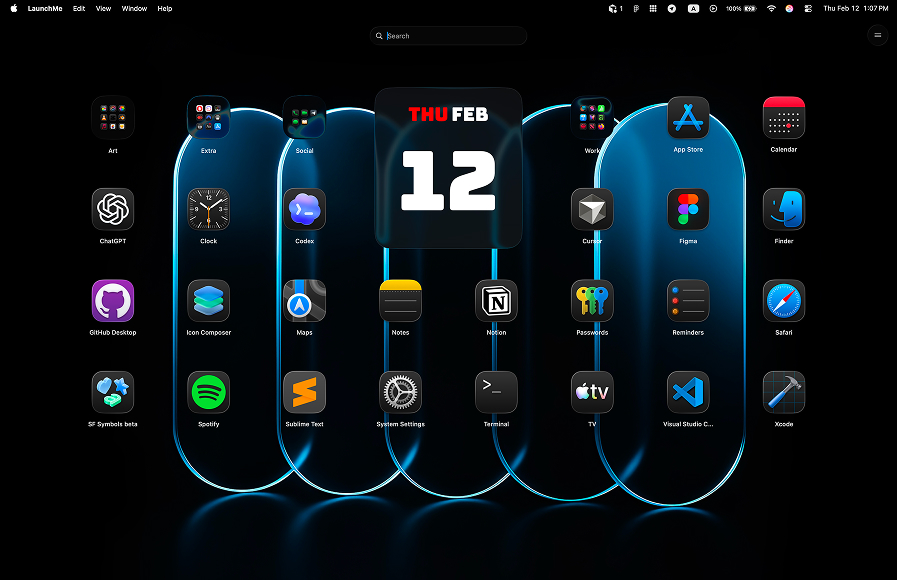
LaunchMe vs AppHub. Better Launchpad Replacement for macOS 26
In this LaunchMe vs AppHub comparison, the key question is simple: which app works better as a real launcher on macOS 26 Tahoe? AppHub may look familiar at first, but its interface and flow can feel clunky, and many useful controls are paid.
LaunchMe vs AppHub: quick summary
AppHub is paid-first and offers a limited free experience. LaunchMe gives stronger practical value in Free, then adds deeper customization in Pro for users who want advanced personalization.
Feature comparison table
The table below shows LaunchMe Free and Pro capabilities versus AppHub. It highlights which functions are paid in AppHub but available in LaunchMe Free.
How we compared LaunchMe and AppHub
We used a practical launcher checklist: activation speed, free vs paid feature access, interface clarity, organization flow, and day-to-day productivity impact.
Source: Download LaunchMe.
Where AppHub falls behind
Interface and control flow feel less efficient
AppHub can feel less intuitive in navigation and menu control compared to LaunchMe. For users who open and organize apps many times per day, this creates extra friction.
Important controls are paid in AppHub
In this comparison, Hot Corners, Change icons size, and Hide Apps are paid in AppHub. LaunchMe includes practical workflow controls in Free, so users can get real value before any upgrade.
Not listed on Mac App Store
AppHub is not listed on the Mac App Store. For many users, this can reduce trust because App Store distribution adds Apple review signals and clearer privacy expectations. If software is installed outside the App Store, users should verify notarization and privacy practices carefully.
Why LaunchMe is better for daily launcher workflow
- More useful in Free: Search Files, Clipboard, Calculator, and launcher controls are available without heavy limits.
- Faster open flow: Hot Corners and Gesture Invoke support quick access in Free.
- Deeper customization: widgets, live wallpapers, icon styling, and themes improve long-term usability.
- Better organization: categories and layout controls help keep large app libraries clean and easy to navigate.
Community and product trust
LaunchMe has an active fan base on TikTok, Threads, and Reddit. Many users have supported the product since early versions, which signals long-term trust and product momentum.
Multi-language support
LaunchMe supports 11 languages: English, Chinese, Japanese, Korean, German, Italian, Spanish, Russian, Portuguese, Hindi, and Turkish.
Pricing and value
LaunchMe has a very flexible pricing model: you can use a large set of features for free, or choose the Pro plan format that fits you best - Monthly subscription, Yearly subscription, or Lifetime purchase. This way, each user can pick the best option for their own workflow and budget.
LaunchMe Free covers practical daily needs. Pro expands visual and organizational depth without making the base experience weak.
Try Pro features free for 7 days: You can test widgets, live wallpapers, themes, and advanced visual options for one week, then decide if Pro is right for your workflow.
Verdict: LaunchMe is the better Launchpad Replacement
If you want a launcher that is useful immediately, easy to control, and strong in Free, LaunchMe is the better choice over AppHub. It provides better workflow value and a cleaner growth path into advanced customization.
You can download LaunchMe on the Download LaunchMe and try Pro features free for 7 days.